Stop Zoom Ringing on Phone and Computer
Summary
How to stop Zoom from ringing on the phone and computer/cell phone at the same time.
Body
Edit Call Handling
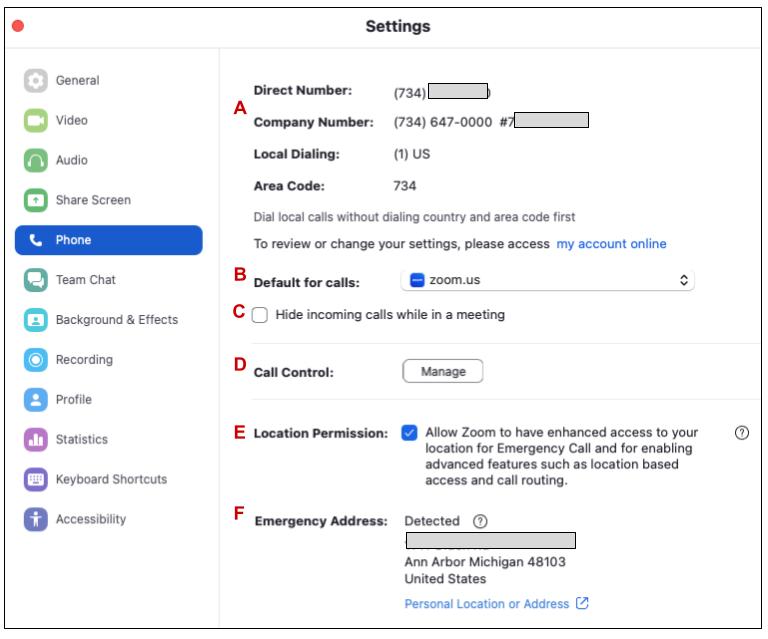
- In the Zoom Workspace program, click your profile icon, then Settings.
- Click the Phone tab, then Manage next to Call control.
- In the Call control prompt, click Manage on Web.
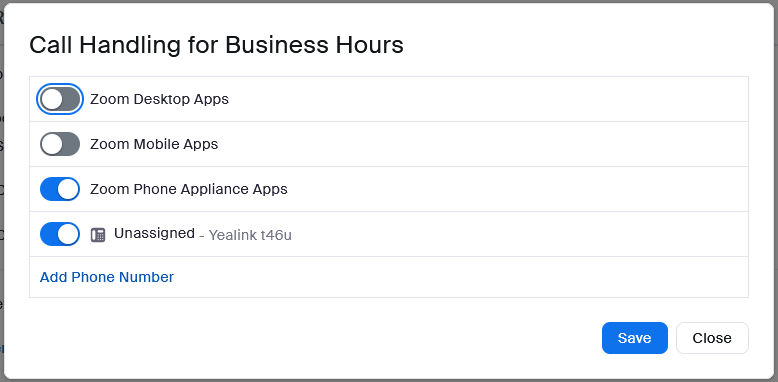
- In the Settings tab, under Call Handling, click Edit next to Call Handling.
- In the Call Handling prompt, toggle the Desktop App off. If you also need Zoom not to ring on a mobile device, toggle Mobile App off as well. Hit Save.



Details
Details
Article ID:
2908
Created
Wed 2/26/25 4:45 PM
Modified
Fri 7/18/25 8:02 AM