You can check what kind of hold a ticket is on by entering fastpath OEI, then entering option 1. Enter the ticket number, and the hold should be notated at the top of the ticket.
Credit Hold
This is different from a credit memo issue; for those, follow this KBA.
- Verify whether the request is coming from the field or from the Credit dept.
- If the request came from the field, advise them to contact the Credit dept and to have Credit reach out to IT if they're unable to correct the hold.
- You can also check if a CX's account is on hold by using the fastpath ARI, then entering option 8 for Customer credit analysis.
- If the request came from Credit, notate and escalate to Mincron Ops.
Pricing Hold
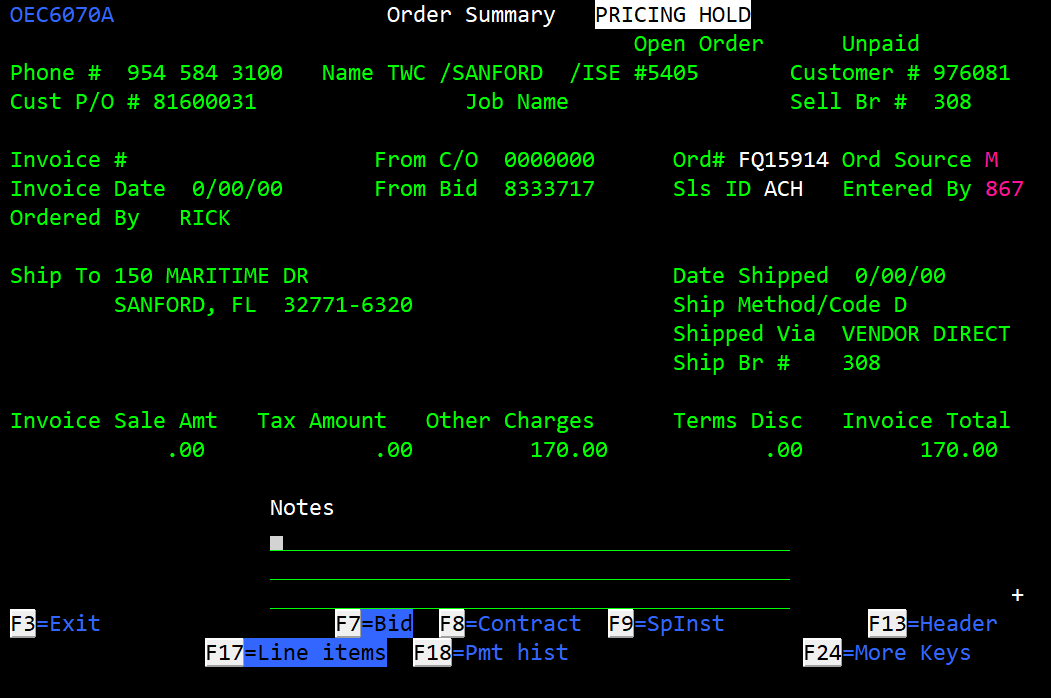
- Verify whether the request is coming from the field or from the Pricing dept.
- If the request is coming from the field, advise them to contact the Pricing dept and have Pricing reach out to IT if they're unable to correct the hold.
- If the request came from Pricing, notate and escalate to Mincron Ops.
Problem Hold

The branch manager will need to process problem holds using the below steps:
- From the Main menu in Mincron, enter fastpath OEC.
- Enter option 3 for Orders held for problem.
- Enter the ticket number, then enter thru the ticket