Table of Contents
ORDER ENTRY
PURCHASE ORDERS
TRANSFERS
To Top
ORDER ENTRY
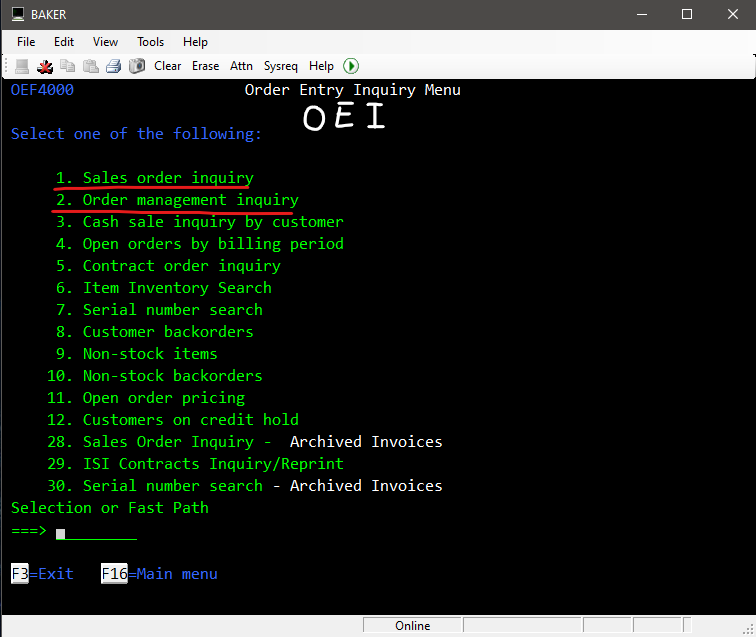
Order Entry Inquiry (OEI)
1. Sales order inquiry - View sales orders to verify info, such as status.
2. Order management inquiry - Check for a user's Order Writer (3-character PIN)
To Top
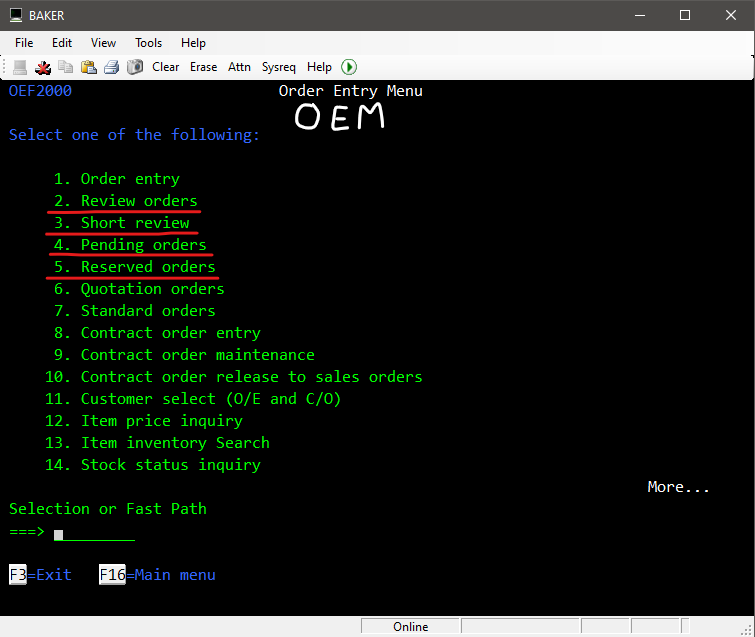
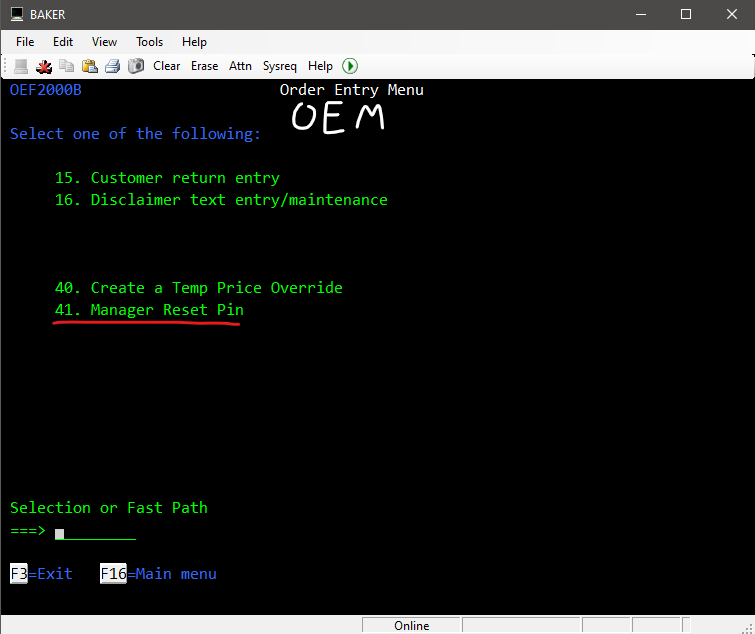
Order Entry Maintenance (OEM)
2. Review orders - SCM can review open orders for invoicing.
3. Short review - SCM can review open orders for invoicing without going into the order.
4. Pending orders - SCM can release orders from pending status to open status.
5. Reserved orders - SCM can release orders from reserved status to open status.
41. Manager Reset Pin - SCM can reset override pin.
To Top
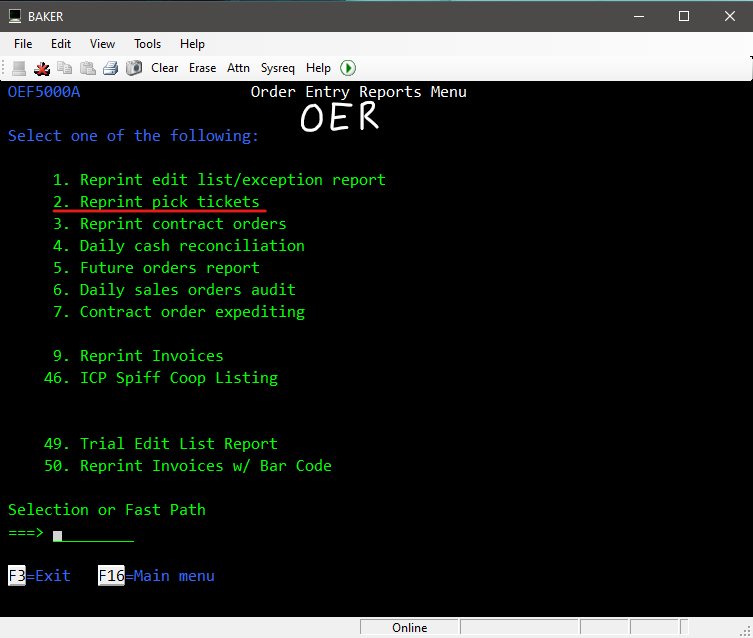
Order Entry Reports (OER)
2. Reprint pick tickets - Reprint a pick ticket/sales order.
To Top
PURCHASE ORDERS
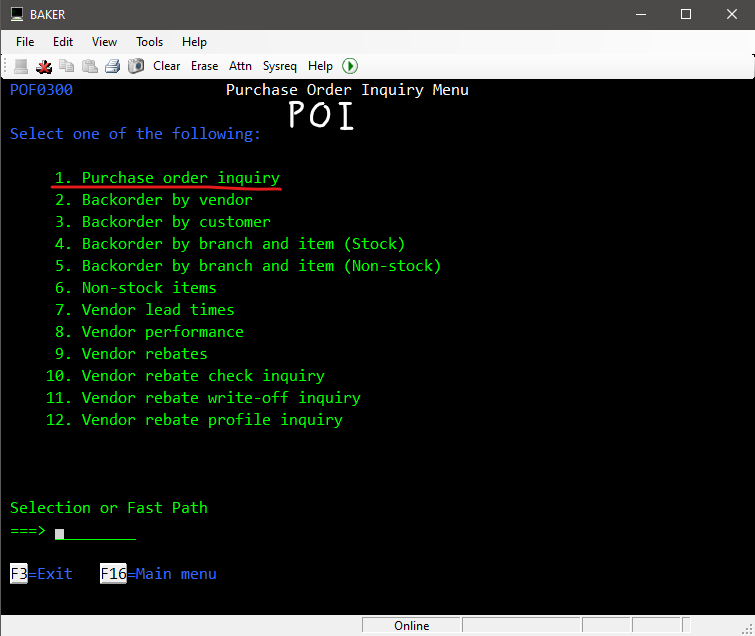
Purchase Order Inquiry (POI)
1. Purchase order inquiry - View info for a Purchase Order, such as associated receivers and invoices
To Top
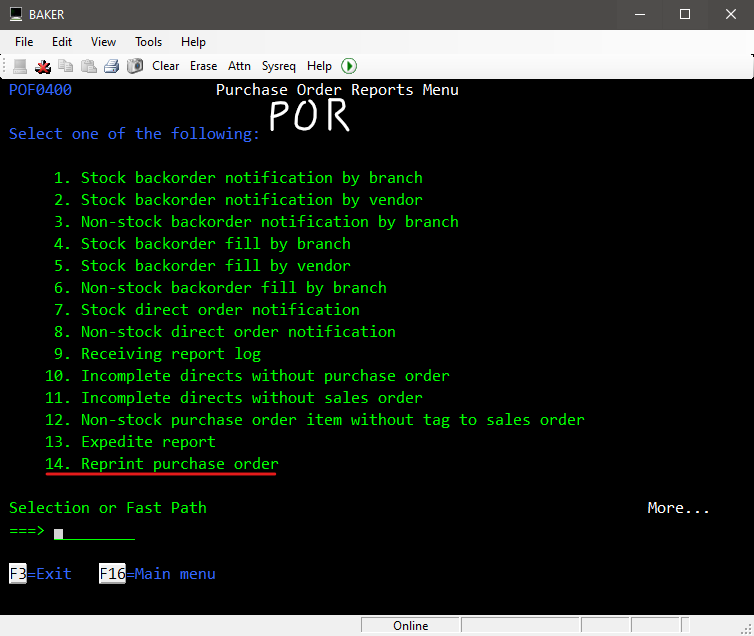
Purchase Order Reports (POR)
14. Reprint purchase order - Reprint a purchase order.
To Top
TRANSFERS
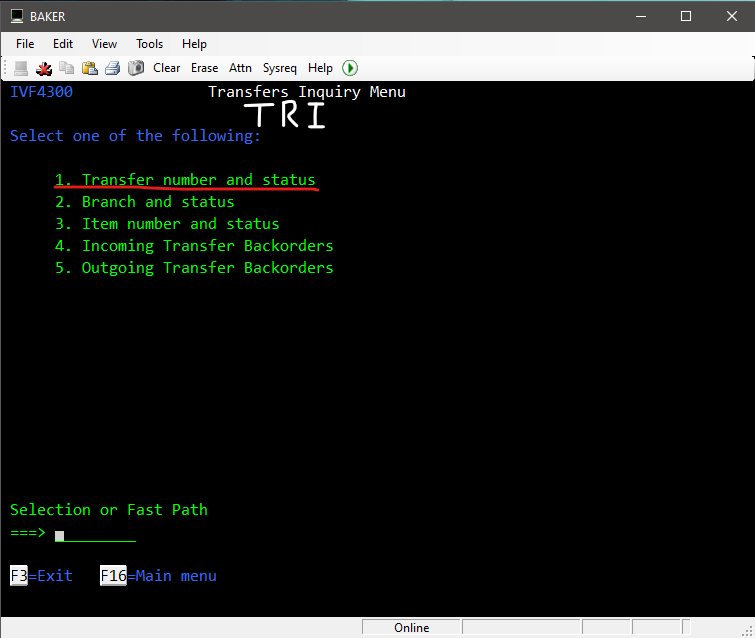
Transfers Inquiry (TRI)
1. Transfer number and status - Check info for a transfer.
- Transfer shows closed, with 0 qty received:
- Enter TRI, then 1. Enter the transfer#.
- In the transfer, hit Esc, then enter 84.
- Check the list for SQL RUNTIME entries.
- SQL RUNTIME entries present: This indicates the transfer was received in the OF, but never finished. Advise the user they'll need to finish the transfer in the OF, then the Mincron computer side will update.
- Not present: Get a screenshot of the transfer log and escalate to Mincron Ops.
To Top
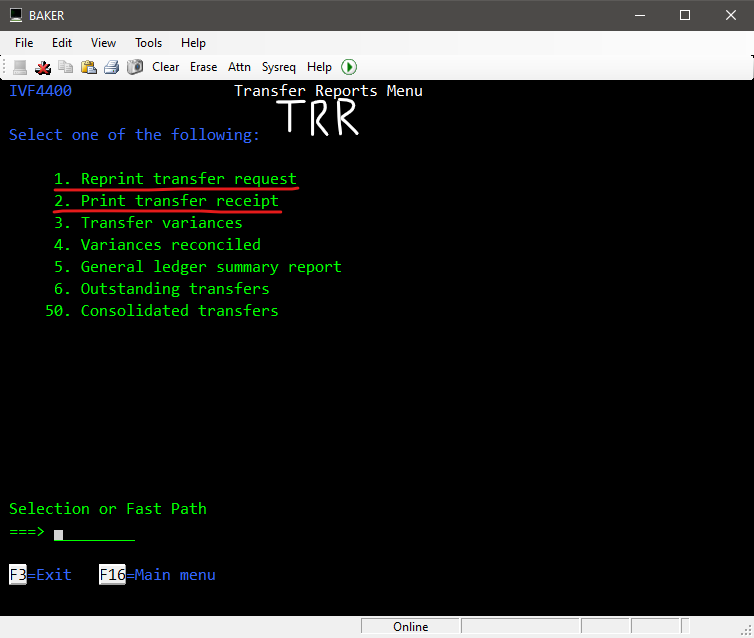
Transfer Reports (TRR)
1. Reprint transfer request - These print at the branch that's sending the items for a transfer automatically.
2. Print transfer receipt - These will print at the branch that's receiving the items from a transfer, but only when this option is used .
To Top